📌 My Tasks
Your personal cross-project workspace — see every issue assigned to you in one place, filter by everything that matters, and switch between Table and List views.
🌟 Overview#
My Tasks is the personal home for every Sniffer user. Instead of jumping from project to project to find what you need to do, My Tasks aggregates every issue assigned to you across every project in your organization and presents them in a single workspace with the same filtering, grouping, and view options as the 📋 Task Board .
It is the natural starting point each morning: open My Tasks, sort by priority or due date, and start working.
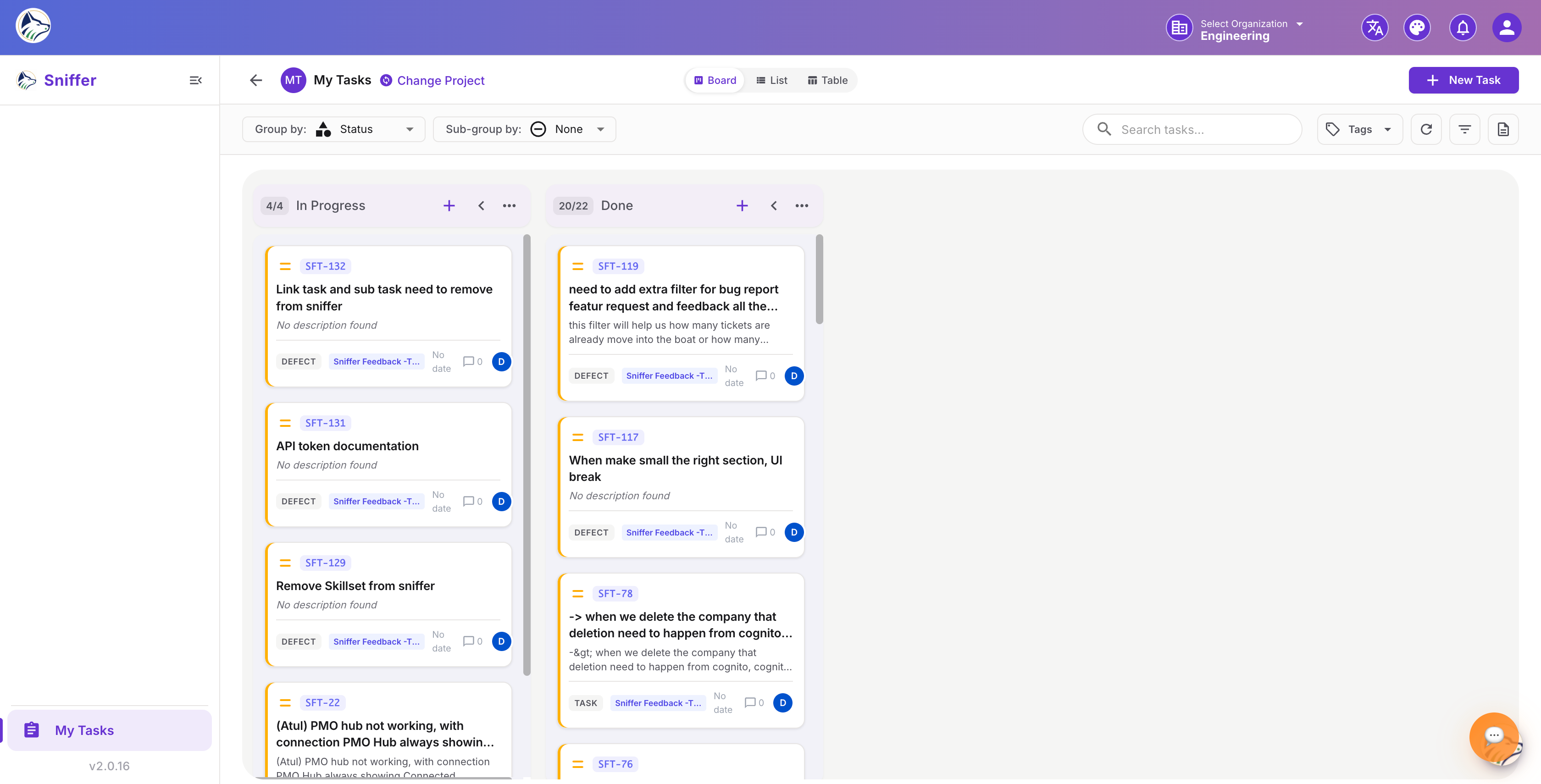
Route: /sf/my-tasks
🖥️ Views#
The same views as the project Task Board:

Each issue row displays the same elements as a Task Board row plus a Project chip so you always know which project the issue belongs to.
🔍 Filters#
Filters are persisted per user.
🖼️ Insert image of the My Tasks filter bar with multiple active filters.
📦 Grouping#
Group cross-project issues by:
Sub-grouping is supported (e.g., Group by Project, Sub-group by Status).
⚡ Quick Actions#
Every row supports inline actions:
- Change status via the status badge dropdown
- Update priority via the priority pill
- Assign / un-assign via the assignee chip
- Open in project — jump to the issue’s project Task Board
- Open detail drawer — click the row to open the 🐛 Bug Details drawer
🛎️ Notifications & Reminders#
My Tasks pairs with the notification system:
- 🔔 Bell icon in the header shows recent assignments and @mentions
- Email digests (configurable) summarize the day’s outstanding work
- Overdue badges auto-mark items past their due date
- Daily reminder at a configurable time delivers a list to Slack / Teams / email