🤖 MCP Integration
Connect Sniffer to AI assistants like Claude, Cursor, and VS Code via Model Context Protocol for AI-assisted bug triage, summarization, and code-fix suggestions.
🌟 Overview#
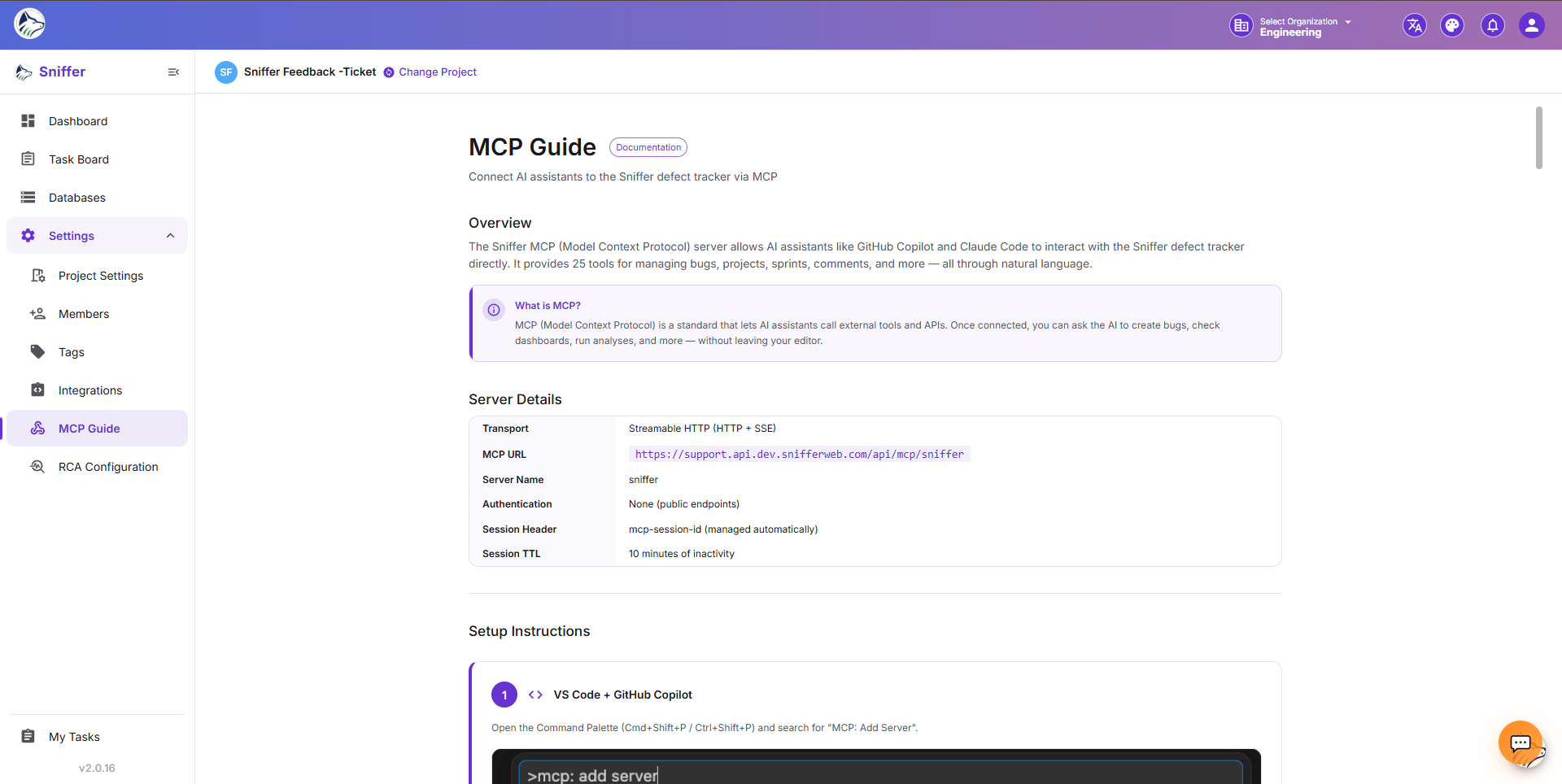
MCP (Model Context Protocol) is an open standard that allows AI assistants to interact with external tools programmatically. Sniffer’s MCP integration enables AI assistants to read bugs, create issues, update statuses, add comments, link issues, and search your project — bringing AI-powered automation into your defect tracking workflow without copying and pasting.
Setup documentation is available in your project at Settings → MCP Docs (/sf/projects/:id/settings/mcp-docs).
MCP is the only AI surface inside Sniffer — the conversational Ask AI panel and the autonomous Orchestrator job engine ship with other Sniffer product configurations, not the Sniffer (SUPPORT) build documented here.
🔧 Setup#
Prerequisites#
- An AI tool that supports MCP (Claude Desktop, Cursor, VS Code with MCP extension, Zed)
- A Sniffer account with API access
- Project-level permissions
Configuration Steps#
- Navigate to Settings → MCP Docs in your Sniffer project.
- Copy the MCP server configuration block (JSON).
- Add it to your AI tool’s MCP settings file:
// ~/.config/claude/claude_desktop_config.json (example)
{
  "mcpServers": {
    "sniffer": {
      "command": "npx",
      "args": ["-y", "@sniffer/mcp-server"],
      "env": {
        "SNIFFER_API_TOKEN": "your-token-here",
        "SNIFFER_PROJECT_ID": "your-project-id",
        "SNIFFER_BASE_URL": "https://api.snifferweb.com"
      }
    }
  }
}- Authenticate with your Sniffer API token (generate one from Company Settings → API Token).
- Restart your AI tool. The Sniffer tools appear in the tool list.
- The AI assistant can now interact with your Sniffer project.
🖼️ Insert image of Claude Desktop / Cursor with the Sniffer MCP tools visible in the tools menu.
🛠️ Available Operations#
💡 Use Cases#
🔍 AI Pair Programming#
Ask your AI assistant questions about your bugs:
- “What’s the highest priority bug in project SNF?”
- “Show me all unresolved bugs assigned to me.”
- “Summarize the console logs for bug SNF-142.”
- “What’s the average time-to-resolution this week?”
🤖 Automated Triage#
AI reads new bugs and suggests:
- Priority level based on error severity
- Assignee based on affected code area
- Tags based on error patterns
- Duplicate links to existing similar bugs
📝 Bug Summarization#
AI generates summaries of bug clusters:
- “What are the common themes across this week’s bugs?”
- “Create a summary of all critical bugs for the standup.”
- “Draft a release-notes section based on bugs closed this week.”
🔧 Code Fix Suggestions#
AI analyzes bug context (console logs, network failures, stack traces) and suggests fixes:
- “Based on the stack trace in SNF-142, what might be causing this null pointer?”
- “The network log shows a 403 — what’s the likely auth issue?”
- “Open the affected file from this bug in my editor and propose a patch.”
🪄 Bulk Operations#
- “Reassign all bugs tagged
authto the security team.” - “Close every bug in ‘Done’ that’s older than 14 days.”
🖼️ Insert image of a Claude / Cursor chat that uses Sniffer MCP tools end-to-end.
🔒 Security#
🧪 Testing the Connection#
Once configured, ask your AI: “Use Sniffer to list the 5 most recent bugs in project X”. You should see the AI invoke the list_bugs tool and return results inline.
If the tool call fails:
- Check the AI tool’s MCP log for error details.
- Verify the API token has not expired.
- Confirm the project ID is correct.
- Test the same token with
curlagainsthttps://api.snifferweb.com/v1/projectsto isolate transport issues.