🏢 Company Settings
Organization-wide configuration — company info, org chart, users & roles, integrations, theming, billing, API tokens, PII rules, and AI configuration.
🌟 Overview#
Company Settings is the administrative home of your Sniffer organization. While project-level settings let you customize a single project, Company Settings define everything that applies across every project — company info, the org hierarchy, users, role-based auth, billing, integration credentials, brand themes, and AI/LLM configuration.
The page is a left-sidebar layout: every section is a sidebar entry that loads its panel on the right.
Base route: /company-settings/*
🗺️ Sidebar Map#
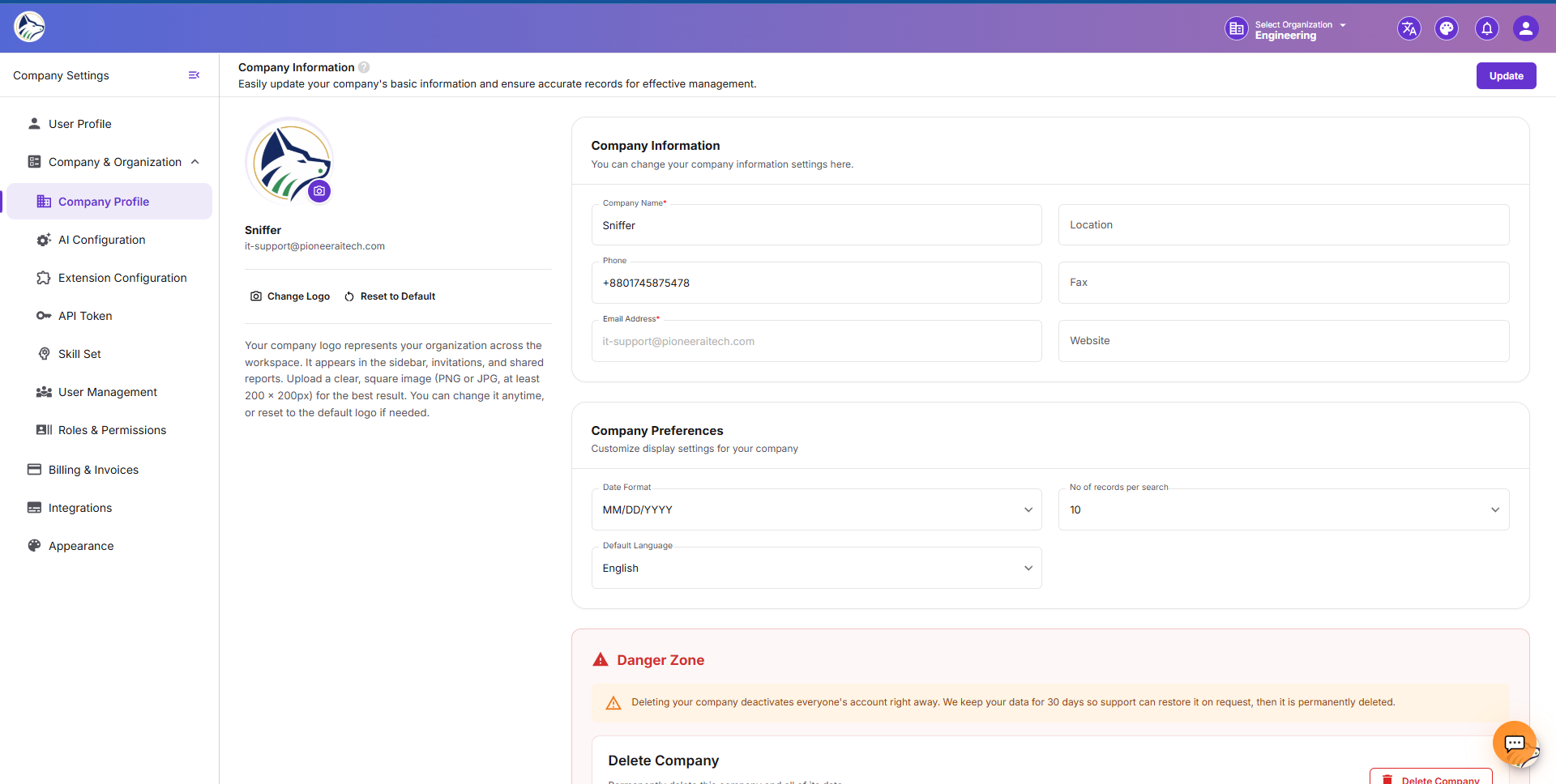
🏢 Company Information#
The first section users land on. Edit core company details.
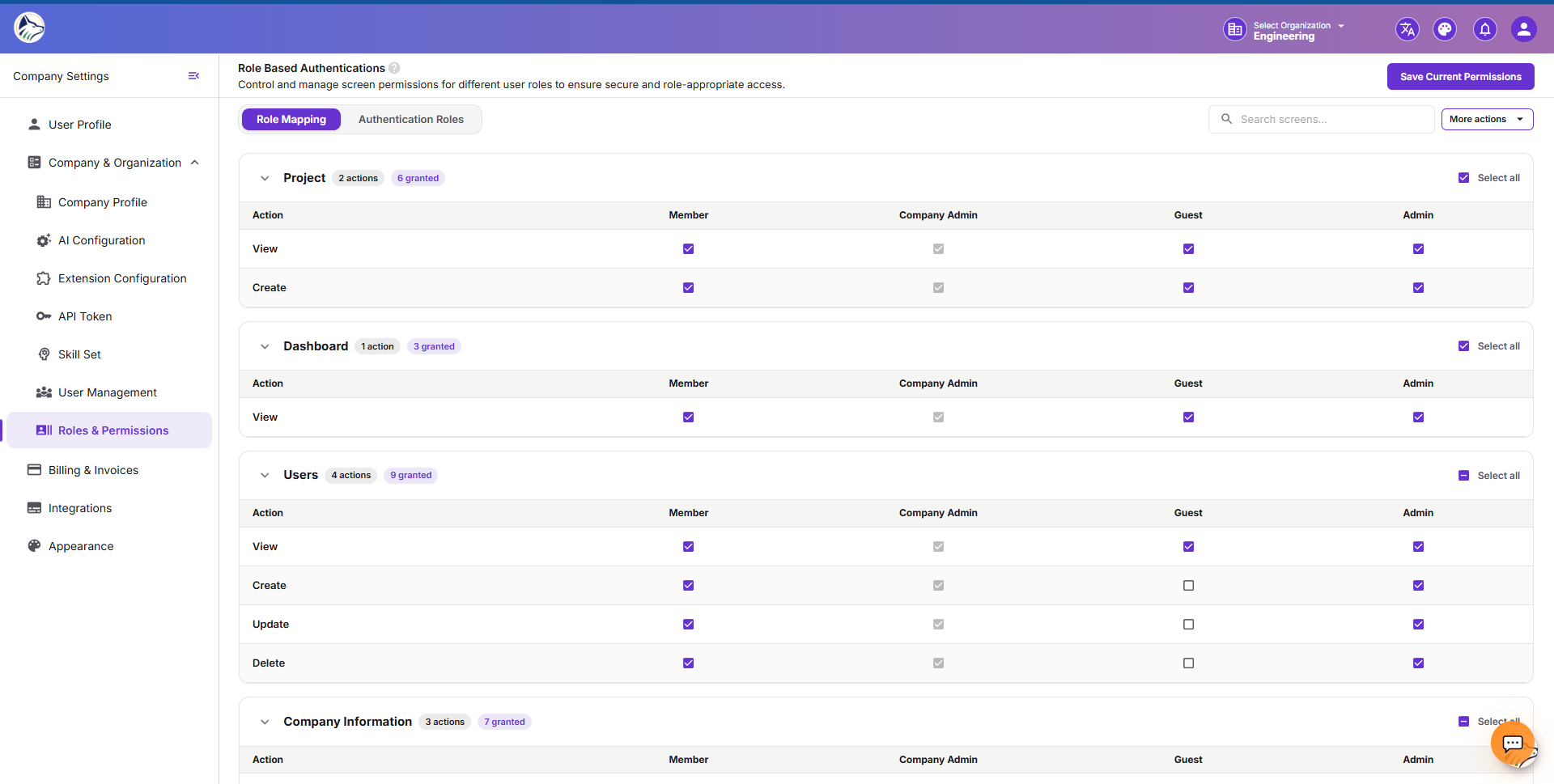
🔐 Role Based Auth#
Configure custom roles and the permission matrix.
Components#
Built-in Roles#
COMPANY_ADMIN, PROJECT_ADMIN, MEMBER, VIEWER, CLIENT are non-deletable.
Custom Role#
- Click + New Role → fill in name + description.
- Map the role to each screen/module with the permitted actions.
- Save — the role appears in user-invite dropdowns.
🛡️ PII Management#
Define how personally identifiable information is detected and masked across the org.
When PII is detected (in 📡 Live Logs , 🤖 Sniffer AutoBug , or 🛢️ Database ), the masking policy kicks in.
📂 API Exposure Types#
Categorize API endpoints by exposure level:
Used to:
- Surface high-risk APIs in 🛢️ Schema views
- Drive different rate-limit defaults
- Tag PII-related compliance flows
🔑 API Info#
Generate and manage API tokens for the org.
Plus a documentation sub-page with code samples (curl, Node, Python, Go), endpoint reference, and SDK download links — useful for 🤖 MCP Integration .
🔒 SecretManager#
Centralized storage for encrypted credentials used across integrations and database connections.
Values are written using envelope encryption (KMS). The plaintext is never exposed in the UI after creation.
🏷️ Metadata#
Define custom metadata fields that can be attached to projects, bugs, or applications.
Used for custom fields the standard schema doesn’t cover.
🧠 AI Config#
Beyond the basic key in Company Information, AI Config lets you:
- Choose per-feature providers (e.g., Claude for bug analysis, GPT-4 for code review)
- Set rate limits per user / per project
- Enable / disable specific AI tools
- Configure temperature, max tokens, system prompts for each agent
- Toggle the company-wide kill switch for AI
🛡️ Super Admin (platform admins only)#
A privileged section visible only to Sniffer platform administrators (typically internal). Lets you manage multiple companies, pricing plans, coupons, assessment models, and emergency controls.
🔐 Permissions#
Most Company Settings sections require COMPANY_ADMIN. Specific permission requirements: